
From a strong hero to a coherent plan
We are publishing the DragonSword: Awakening Wiki as a connected reference for the questions that appear after a player has learned the basic controls: Will this three-hero team actually hand a status from one skill to the next? What will it cost to finish the build? Where is the resource, chest, boss, or quest target in Orbis? Which objectives has this save already completed? Those questions cross several systems, so the site is structured as a network of evidence rather than a collection of unrelated character pages.
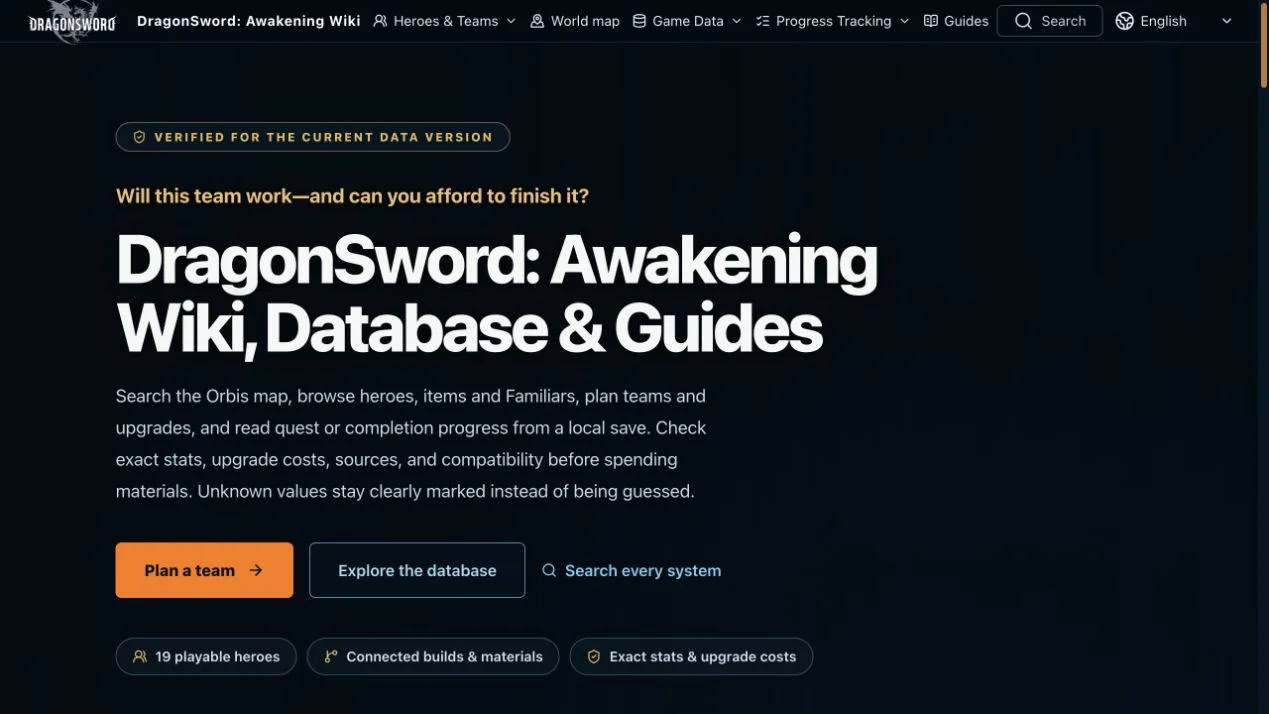
The home page groups the work into Heroes & Teams, World Map, Game Data, Guides, and Progress Tracking. Players can compare 19 playable heroes, search 197 official places, inspect 1,500 treasure chests, browse thousands of resource and spawn positions, and move from a material to its sources and uses. The key design decision is that each page points toward the next decision. A hero leads to skills and compatible builds; a build leads to material costs; a missing material leads to data and map records; a completed route can be checked against local progress.
Hero pages explain roles, skills, and investment
The hero database compares roles, verified status outputs, activation requirements, skill variants, and upgrade paths. That is more useful than ranking portraits without context. A team may need an opener that applies a state, a connector that consumes and replaces it, and a finisher that can act on the new condition. Hero records keep those directions visible and preserve requirements such as stack count, progression, exclusive Karma, self-state, or linked summons. The site does not count a status requirement as if the same skill also produced that status.
Investment data is attached to the same decision. Players can trace Awaken and Karma steps, inspect exact costs where the current data supports them, and identify sources before committing scarce materials. Equipment, Karma, items, cooking, Familiars, and bosses have focused databases because each answers a different question. Unknown drop rates or incomplete values remain marked as unknown. The goal is not to make every decision automatic; it is to make the known cost, compatibility, and source relationships clear enough that a recommendation can be checked before resources are spent.
The Team Builder verifies directional Tag chains
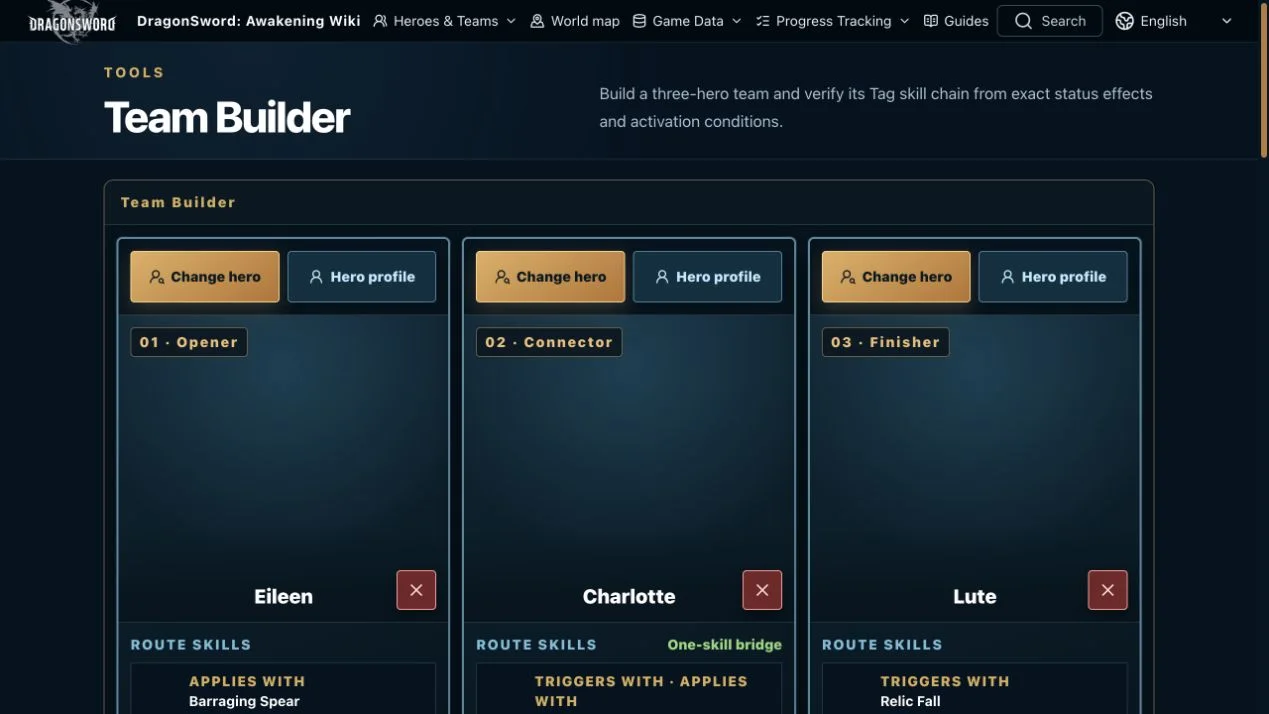
The Team Builder turns a three-portrait lineup into a rule check. For each adjacent pair, it identifies the skill that applies a status and the next skill whose enemy-target condition requires that status. The default example shows Eileen as opener, Charlotte as connector, and Lute as finisher. Barraging Spear applies Air, Shadow Grab activates from Air and applies Down, and Relic Fall activates from Down. The workspace labels each edge, names the skills involved, shows required stacks, and distinguishes a connector that bridges with one skill from a route that needs two different actions.
When a route breaks, substitute suggestions are calculated for the affected slot while the other choices remain fixed. That makes experimentation focused: a player can preserve two favorite heroes and look for one compatible connector or finisher instead of rebuilding the entire party. The result verifies a documented status route, not total damage, perfect cooldown alignment, energy availability, resistance, survival, or execution timing. Those limits stay beside the tool because a valid chain on paper is valuable evidence, but it is not proof that the same rotation will be effortless in every encounter.
Build and material planners make the cost traceable
The Build Planner and Hero Upgrade Materials workspace answer the question that follows a promising team: can the player afford to finish it? Awaken and Karma steps are combined into traceable totals instead of presented as disconnected tables. Players can inspect the route behind the total, see which progression stage contributes each requirement, and move from a missing currency or component to the corresponding item record. This helps prevent partial investment in three heroes when only one can reach the intended milestone with the materials currently available.
Equipment planning is similarly connected. Five slots, sets, options, runes, exact stats, effects, and compatibility can be considered as part of a role rather than as isolated rarity labels. The databases are designed to answer what an object is, where it comes from, what it costs, and what uses it. A complete build still requires judgment about the content being attempted, but the site reduces the mechanical bookkeeping. It also avoids silently substituting a guessed number when the released data does not close a value, which keeps the plan auditable as new information arrives.
The Orbis map searches hidden and visible layers
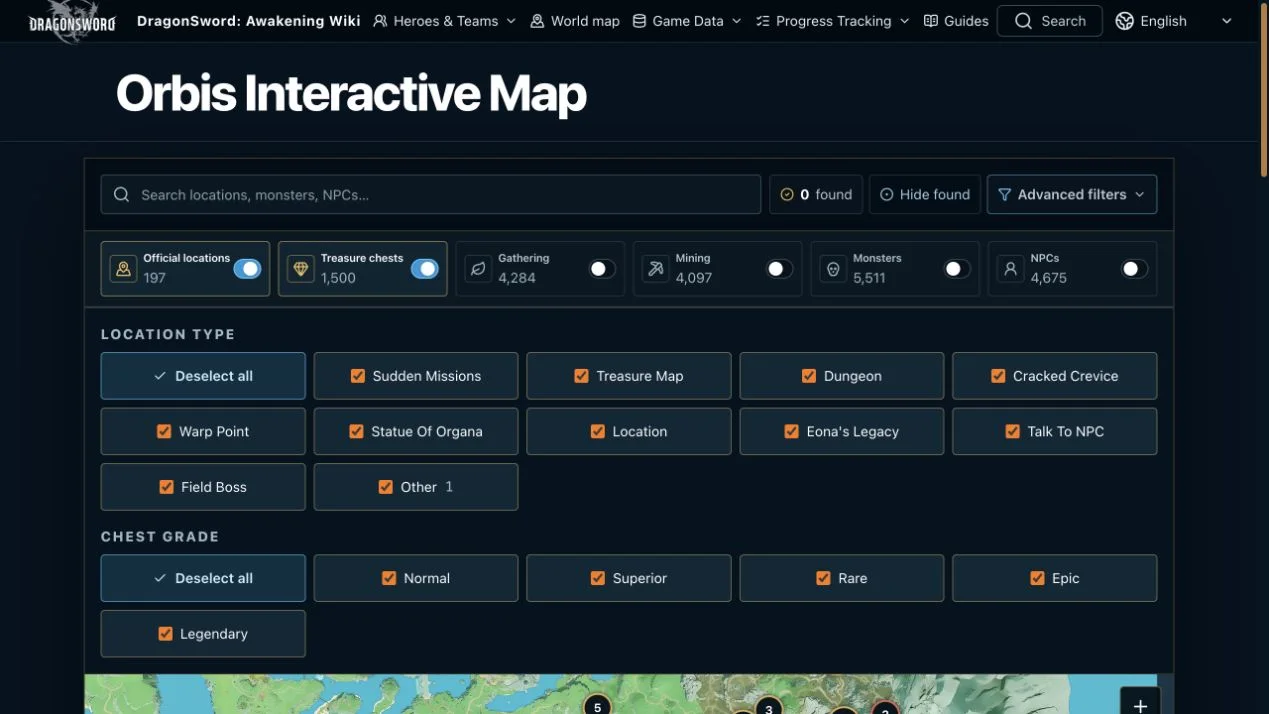
The Orbis Interactive Map is built for route questions rather than decorative browsing. Official locations and treasure chests open first, while denser gathering, mining, monster, and NPC layers load on demand. Players can search locations, monsters, NPCs, resources, and chest types even when the relevant layer is not currently visible. Results are grouped by entity and type, and multiple selections can remain on the map for comparison. At lower zoom levels, dense points cluster so the terrain stays readable; zooming separates them into individual positions.
Filters distinguish official location types, chest grades, gathering and mining resources, normal or elite spawns, commanders, named enemies, bosses, raid bosses, and NPCs. A selected marker can expose verified coordinates and other available player-facing values. Treasure points may be marked as found in the browser, and Hide found turns the same atlas into a cleanup route. Copy link preserves the selected point, center, and zoom for a teammate. Found state is local, not a shared account state, and a position does not by itself prove a live spawn or quest condition.
Local-save progress turns the database into a checklist
Progress Tracking connects the public reference to the player’s own state. A player can choose a Slot database, which is decrypted and checked in the browser rather than uploaded to the site. The normalized progress snapshot can then be reused across Quests, Adventure Book, and Progress pages. That turns 268 quests, 149 Adventure Book entries, and 103 tracked progress records from complete catalogs into a practical view of what the selected save still lacks. The privacy boundary is part of the feature: the file remains local while the interface interprets supported records.
This is especially helpful late in a playthrough, when a generic guide full of already-completed objectives creates more noise than guidance. A player can identify unfinished quests, missing Adventure Book entries, achievements, and world goals, then connect those records to item sources or map locations. The tool does not upload progress, create an account, or claim to infer unsupported state. It reads the records it knows how to normalize and keeps the remaining uncertainty visible. That makes completion work start from evidence in the save instead of a memory-based checklist.
Search connects names, effects, sources, and locations
Because the same term can belong to a hero, skill, item, material, quest, encounter, or location, the site includes a cross-system search rather than asking players to guess which database owns the answer. Searches can move from a remembered name or effect to the exact record, then outward to sources, uses, compatible heroes, or positions. The focused databases remain available when precise filters are more useful: 240 equipment records, 52 Karma entries, 73 cooking records, 1,174 items, 29 Familiars, and eight boss or raid references are exposed through their own browse paths.
Guides sit above that data rather than replacing it. Beginner progression, equipment planning, Orbis exploration, save completion, and encounter guidance can link directly to the record that supports a step. Readers can therefore distinguish a tactical recommendation from the underlying value or location. This editorial structure is important for a live game: advice may change as systems evolve, while a transparent link between recommendation and record makes the affected claim easier to review and update without rewriting the entire site from rumor.
A practical starting route through the wiki
New visitors can begin with the problem in front of them. Use Heroes when deciding who performs a role, Team Builder when checking status handoffs, Build Planner when evaluating equipment and progression, and Hero Upgrade Materials when the resource bill is the blocker. Open the map for a position or farming route, and use Progress Tracking when the question is not what exists but what this save still needs. Search is the fastest path when the system is unclear. Each route is designed to end with an actionable next check rather than another index page.
The DragonSword: Awakening Wiki is live at dsawakening.wiki. It is an independent player resource, not an official game service, and its most useful promise is modest: exact values where the current public data supports them, explicit relationships between systems, and unknowns left visible. We will keep expanding and revalidating those connections as the game changes. For today, players can move from a team idea to a verified chain, from that chain to an upgrade cost, and from a missing material to a position in Orbis without losing the evidence along the way.