
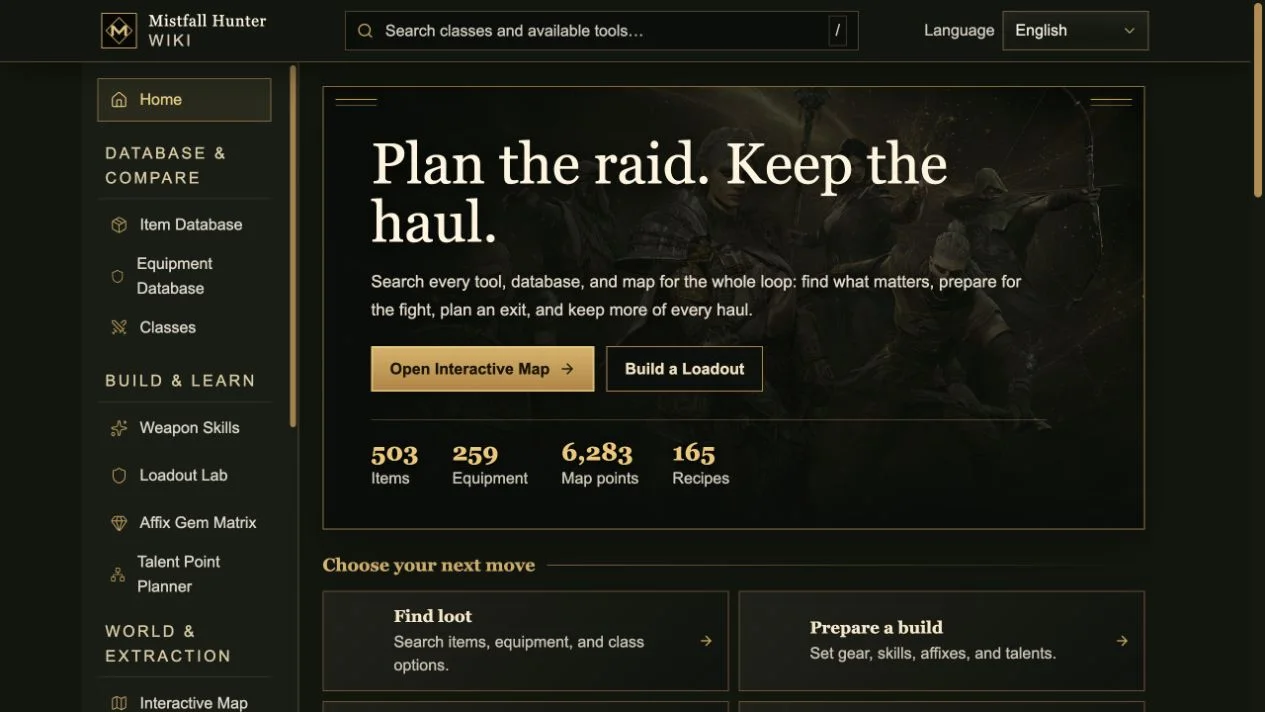
A wiki built around the full extraction loop
Today we are publishing the Mistfall Hunter Wiki, a player resource designed for the decisions that happen before, during, and after an expedition. An extraction game is not served well by a collection of isolated item pages. A weapon choice affects the skills you can use, equipment changes the attributes you take into the field, the map determines which risks are worth accepting, and a successful return changes what you can craft or upgrade at camp. The site therefore treats the whole loop as one connected research problem instead of four separate lists.
The home page makes that structure explicit. Players can begin with one of four practical intentions: find loot, prepare a build, plan an extraction, or improve at camp. Behind those paths are 503 item records, 259 equipment records, 165 recipes, six class references, and 6,283 positioned map points. The numbers are useful, but the more important choice is how they are connected. Item and equipment pages lead into build tools; class pages lead into weapon skills and talents; map layers support route planning; and camp records explain what the recovered haul can unlock next.
Searchable databases without losing gameplay context
The Item Database and Equipment Database provide the expected foundation: searchable records, localized identities, exact properties, and meaningful comparison points. They are deliberately separated because a consumable or crafting component answers a different question from a weapon, armor piece, or accessory. The site also keeps class compatibility visible, so a promising record does not become a false recommendation for a class that cannot legally use it. Where the game data provides a precise value, the page shows it; where a live market, runtime roll, or encounter condition can change the outcome, the interface does not pretend that a static database can know more than it does.
Class pages connect baseline stats, supported weapon families, skills, and talents for Mercenary, Sorcerer, Blackarrow, Shadowstrix, Seer, and Withered Knight. That connection matters when a player is comparing a piece of gear. A larger number in isolation may be less valuable than compatibility with the active weapon, a legal gem family, or a talent path the build can actually reach. Instead of forcing readers to remember those relationships while moving between tabs, the wiki links each decision to the next relevant system and keeps the underlying record available for inspection.
The Loadout Lab models a real two-weapon kit
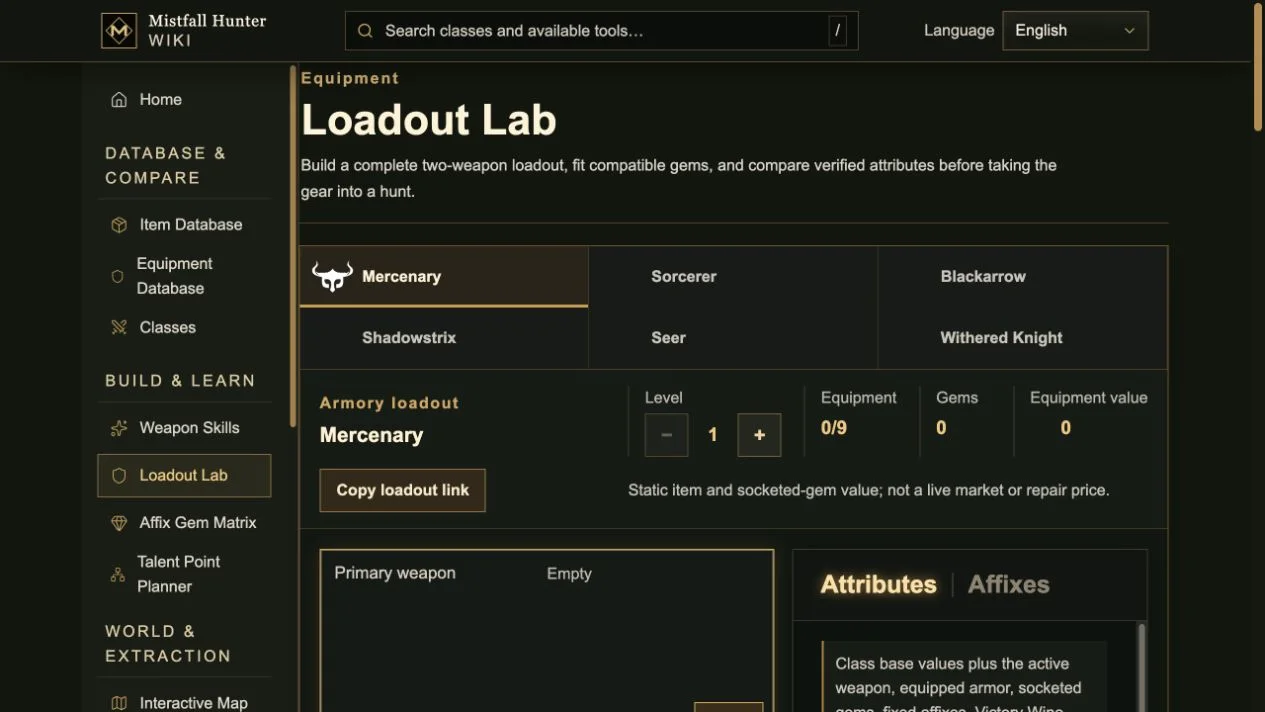
The Loadout Lab is the center of build preparation. It mirrors a complete kit with two weapons and seven armor or accessory slots, then limits the catalog to records compatible with the selected class. Only the active weapon contributes its weapon attributes, while the second remains available for the switch you plan to make in the raid. This distinction avoids a common spreadsheet mistake: adding both weapons to the same persistent total even though the game only treats one as active. The resulting panel tracks verified basics, energy, damage, survival, and speed attributes without presenting them as a universal damage-per-second answer.
Gems, fixed affixes, equipment variants, and Victory Wine choices can be assembled in the same workspace. Legal socket rules remain part of the selection rather than a note that players are expected to remember. Self-only combat conditions can be enabled when a comparison needs them, while triggered payloads and teammate effects stay outside the always-on panel. The equipment value is labeled as a static item-and-gem total, not a live market quote or repair bill. A copied build link preserves the configuration, making it practical to share a concrete proposal with a teammate instead of describing nine slots from memory.
Weapon, affix, gem, and talent tools answer different questions
One planner cannot explain every layer of a build clearly, so the wiki provides focused laboratories alongside the complete loadout. The Weapon Skill Lab lets players compare the skills attached to supported weapon families and understand what a weapon enables before selecting a specific equipment record. The Affix Gem Matrix explores which stat families and tiers can legally appear together. The Talent Point Planner turns a class tree into a budgeted route, helping players see which nodes are reachable and what must be purchased first. Each tool keeps its scope narrow enough that the result can be checked.
These focused views are most useful in sequence. Start with the class and the role you want to play, compare weapon skills, assemble a legal equipment set, then test affix, gem, and talent choices. Returning to the Loadout Lab shows how the verified persistent attributes change. This process will not solve enemy defense, positioning, player execution, or every conditional effect, and the site says so. Its purpose is to remove avoidable uncertainty before the raid, leaving the player to make the decisions that genuinely depend on the live encounter.
An interactive map for objectives, threats, loot, and exits
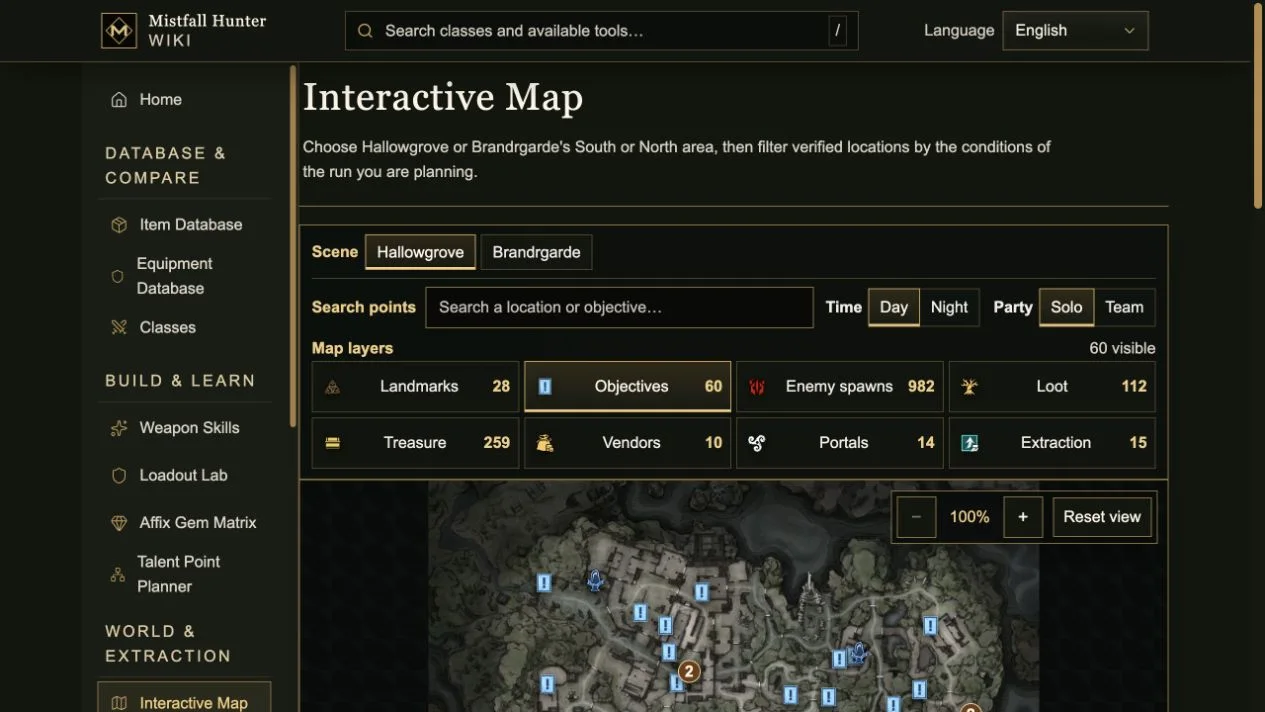
The Interactive Map covers the two formal maps, Hallowgrove and Brandrgarde; Brandrgarde South and North are treated as areas of the same fortress rather than misleadingly presented as separate top-level maps. Players can search verified positions and filter eight practical layers: landmarks, objectives, enemy spawns, loose loot, treasure, vendors, portals, and extraction points. Day or night and solo or team switches keep the match conditions attached to the view. Counts update with the selected scene and filters, so the number on screen describes the route being planned rather than the entire database.
The map supports panning, zooming, keyboard movement, and a reset control, but its most important feature is restraint. A verified position means the shipped data closes the point on the terrain; it does not promise that the location will be active in every run. Possible vendors, objectives, treasure, and exits remain route options until the live match confirms them. That boundary is essential in an extraction game. The tool can help a player prepare a primary objective, a fallback route, and an exit, but it does not turn procedural or conditional state into false certainty.
Camp progression turns a successful haul into a plan
Returning alive is only half of the loop. Camp Upgrades, Crafting, Vendors, and Victory Wine pages explain how recovered materials become permanent or repeatable preparation. Recipe records connect finished outputs to their ingredients, and vendor pages help players distinguish acquisition routes before spending time on a search. Victory Wine receives its own reference because a complete brew can add a multi-affix setup to a loadout. Bringing these systems into the same wiki makes it possible to work backward from the next upgrade and decide which materials are worth risking an expedition to collect.
This camp layer also protects the build tools from becoming abstract theory. If a proposed kit depends on materials, variants, or upgrades the player cannot currently obtain, the relevant database paths show where the gap is. A practical workflow is to plan a loadout, identify the missing pieces, check crafting and vendor routes, then use the map to combine several collection goals into one expedition. After the run, the same plan can be revised with the gear and resources that actually returned. The site is meant to support that repeated loop, not publish one final build that every player should copy.
What players can rely on—and what they still need to verify
Across the wiki, current game records are separated from interpretation. Exact database fields, compatible categories, positioned points, and legal planner rules are suitable for preparation. Live prices, runtime triggers, procedural availability, enemy behavior, and player execution are not reduced to a single confident number. The distinction appears in captions, tool explanations, and the result panels themselves. It may feel less dramatic than a tier list, but it produces advice that survives closer inspection and remains useful when a patch changes only one part of the loop.
The Mistfall Hunter Wiki is now live at mistfallhunter.grandwiki.com. Start with the database if you are identifying loot, the Loadout Lab if you are comparing a kit, the talent and affix tools if one layer needs closer inspection, or the map if the next expedition already has a goal. We will continue revalidating the connected data as the game changes. For now, the guiding promise is simple: plan with the rules that can be verified, keep unknowns visible, and enter the mist with a clearer reason for every risk you take.